

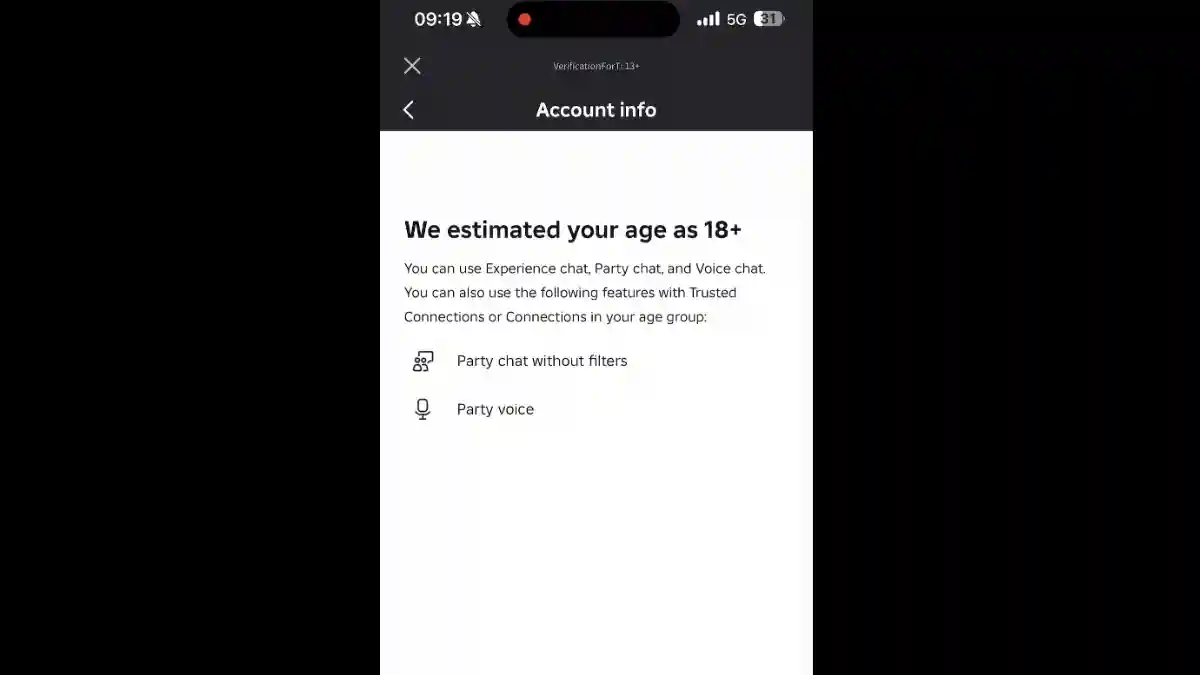
Are you facing problems with chat age verification on Roblox?
Starting in January 2026, Roblox will require all users to complete facial age verification to access chat features.
This is a global safety policy, and chat will no longer work without age verification.
This rule is mandatory for everyone. To use chat on Roblox, you must complete the age verification process.
Many users still don’t know how to do chat age verification on Roblox. As a result, they are unable to unlock chat features.
In this article, you will learn how to unlock chat in Roblox, including a step-by-step guide to easily complete chat age verification.
How to Unlock Chat in Roblox (Age Verification)
Before 2026, age verification on Roblox was optional.
However, starting January 2026 and later, age verification has become mandatory for all users.
Roblox has introduced age-based chat restrictions:
13+ age group can chat freely with known people after verification.
Chat access is locked until age verification is completed.
To unlock chat in Roblox, you must complete the age verification process.
Follow the steps below to complete age verification and restore chat access.
Step 1: Open Roblox Settings
- Open Roblox on PC or mobile.
- On the desktop, go to Settings from the top-right corner.
- On the mobile app, open Settings from the bottom-left corner.
- In the Settings menu, select Account Info.
- This opens your account details page.
- You’ll see your email and age setting.
Step 2: Start Age Check
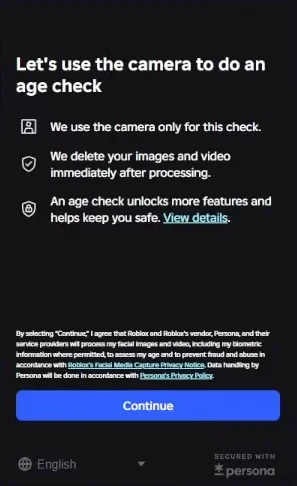
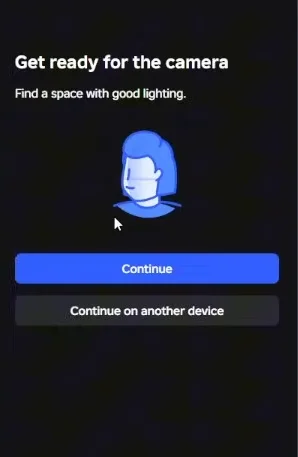
Look for these button options:
- Age Check
- Verify Age
- Continue with Selfie
Click this button to start the age verification process.
Step 3: Take a Selfie (facial Scan)
- Camera opens on your device
- Follow on-screen instructions
- Take a clear selfie/photo of your face
- Image is processed by Persona
Image is DELETED immediately after processing
Roblox’s Facial Age Estimation algorithm analyzes your photo and determines your age group. Takes a few seconds to process.
Roblox assigns you to one of 6 age groups:
| Age Group | Who You Are |
|---|---|
| Under 9 | Very young user (requires parental consent for chat) |
| 9-12 | Pre-teen |
| 13-15 | Young teen |
| 16-17 | Older teen |
| 18-20 | Young adult |
| 21+ | Adult |
