

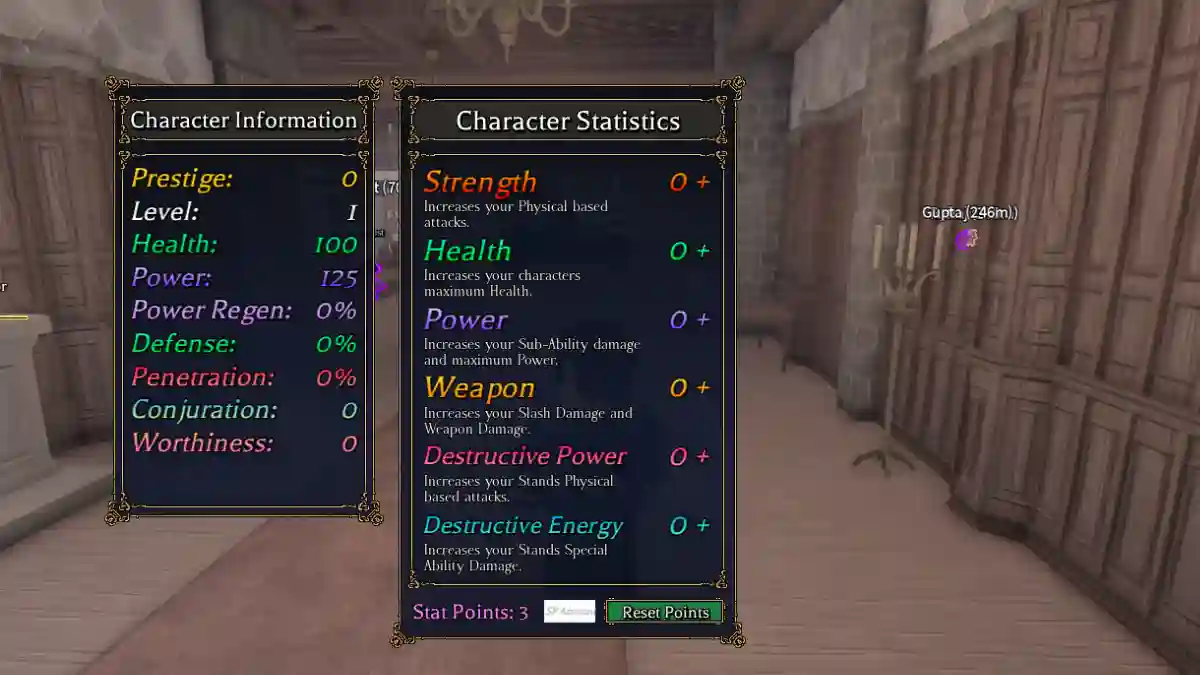
Bizarre Lineage is a unique concept Roblox game where players explore a supernatural city and gain powerful abilities called Stands.
The game combines story quests, exploration, PvE battles, and PvP combat, allowing players to create and develop their own character.
As you progress through the story, you will discover powerful artifacts such as Stand Arrows, which can awaken hidden abilities within your character.
The game features multiple Stand rarity levels, ranging from Common to Mythical, and each Stand has its own unique moveset.
In this article, you will learn how to reset stats in Bizarre Lineage, including a step-by-step guide.
How to Reset Stats in Bizarre Lineage (Roblox)
There are two main ways to reset (respec) your stats in the game: Stop Essence and Prestige.
Both methods will refund all your stat points, allowing you to redistribute them again based on your preferred build.
Method 1: Stop Essence
- Get 1 Shard (boss drops, quests, shop).
- Go to Bus Stop 10 > Hospital area.
- Talk to Arch Mage (tent by hospital).
- Buy Stop Essence (1 Shard).
- Use Stop Essence from the Inventory.
- Redeploy points immediately.
Method 2: Prestige (Free – Full Rebuild)
- Reach Level 50.
- Bus Stop 10 > Arch Mage (hospital tent).
- Select Prestige > Confirm (10k Cash).
- Resets to Lv1, refunds stats +5 Prestige Shards.
- Grind back to Lv50, reallocate points.
- Unlocks: 4 stand slots, exclusive shop.
