

Pokopia is a life simulation Pokémon game developed by Game Freak and Omega Force, currently available only on the Nintendo Switch 2.
In this game, players live alongside Pokémon and work together to rebuild the world, creating a peaceful paradise where Pokémon can thrive.
You play as a Ditto that can transform into a human form and help restore the environment from the ground up.

Stashly
Free Trial
AI receipt scanner & cash envelopes. 100% private.
In this article, you will learn how to get Toys in Pokopia, with a complete and easy-to-follow quick guide.
How to Get Toys in Pokopia Quick Guide
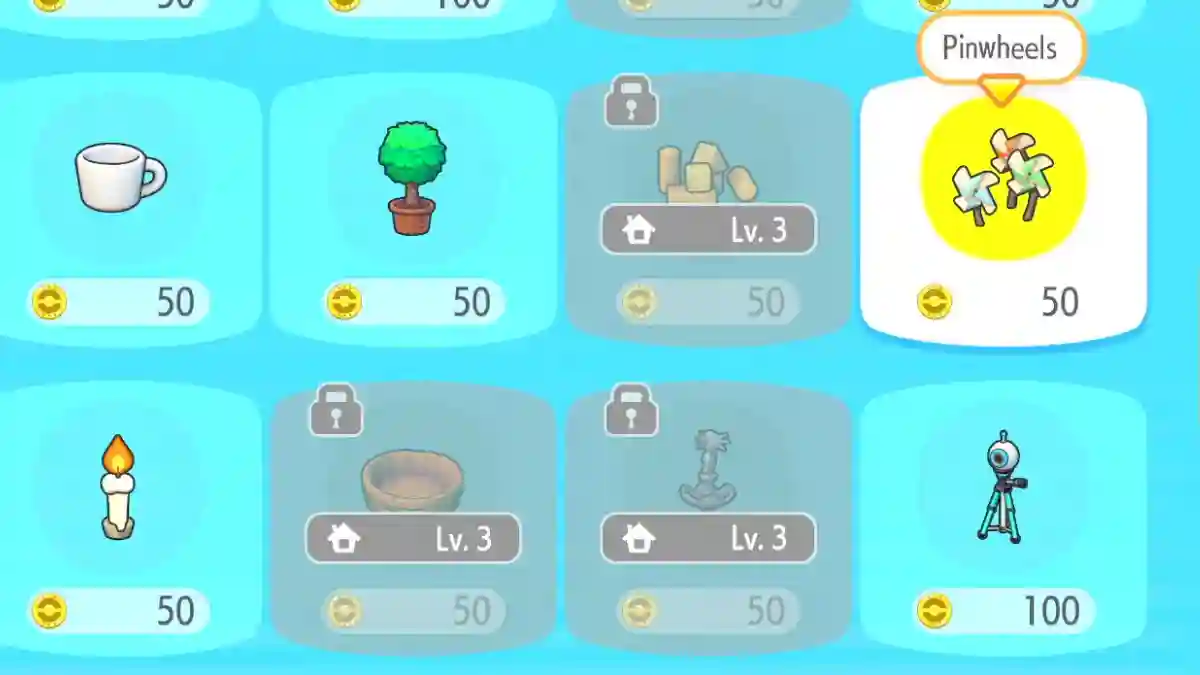
You can get toys in Pokopia by either purchasing them from the PC Shop or crafting them using recipes. After obtaining a toy, place it inside your Pokémon’s habitat so they can interact with it.
Method 1: Buy Toys from the PC Shop
- Go to a Pokémon Center on your island.
- Interact with the PC and choose Shop.
- Buy (toy) items (pinwheels, alarm clock, etc.).
- Return to the habitat.
- Placement mode > select toy.
- Place on the ground.
Method 2: Craft Toys from Recipes
- Unlock recipes via Requests (e.g., Zorua for Toy Blocks).
- Or glowing Poké Balls from exploration.
- Craft at Workbench: Toy Blocks (1 lumber).
- Alarm Clock (1 iron ore).
- Cash Register (1 iron ore).
- Place in habitat: build/placement mode.
