

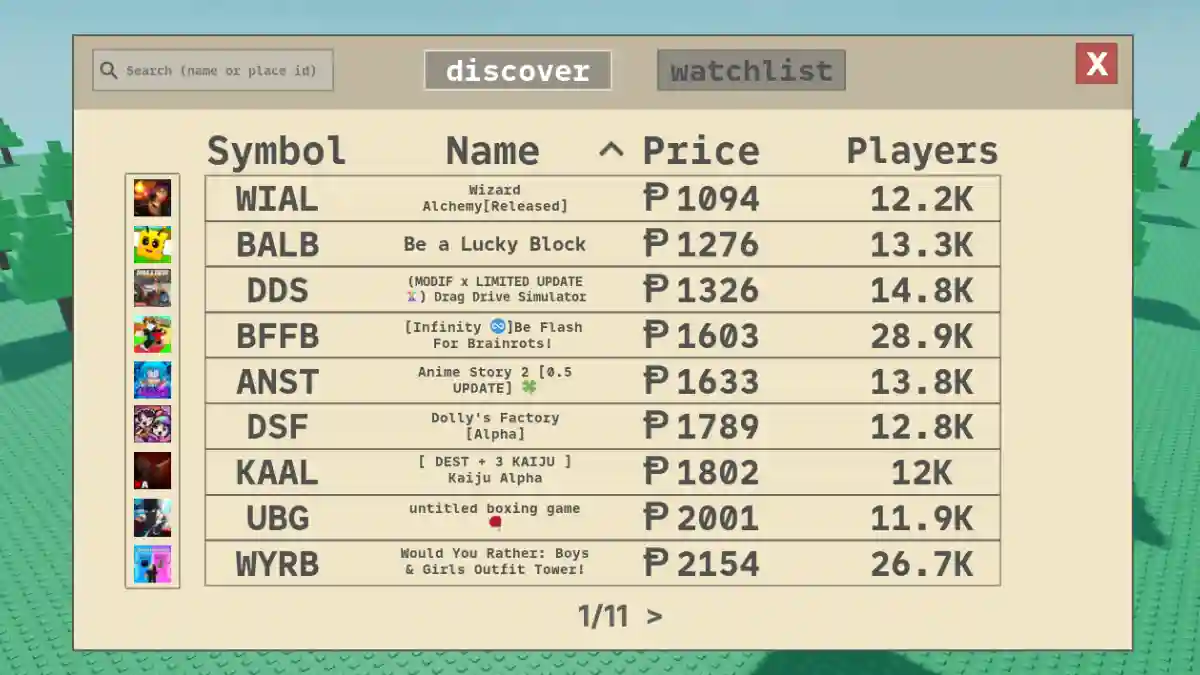
Stonks is a simulation game on Roblox that allows players to trade in a virtual stock market.
In the game, players invest in Roblox games, trade with others, build their portfolios, and try to become the richest “stonk” investor.
The game was created by Blork! and focuses on virtual investing, stock trading, player-driven economy systems, market speculation, and wealth progression.

AI receipt scanner & cash envelopes. 100% private.
You play as a beginner investor entering the Roblox financial market, where your goal is to buy shares of games, track other traders’ behavior, and sell investments for profit.
In this post, you will learn how to withdraw Robux in Stonks (Roblox) with a complete step-by-step guide.
How to Withdraw Robux in Stonks (Roblox)
To withdraw Robux in Stonks on Roblox, players usually need to sell shares for Robux using their own Roblox game pass.
The process involves buying a share with points, selecting the Sell for Robux option, creating a game pass on Roblox, setting a price, copying the game pass ID, and pasting it into Stonks to publish the listing for sale.
The Robux will only be received after another player purchases your listing.
Below is the complete step-by-step guide on how to do this properly.
- Go to the Invest tab, sort by price, and buy a cheap share.
- Click Sell for Robux and enter the amount.
- On Roblox: Create → Creations → Your Game → Passes → Create Pass.
- Set price, save, and copy the Pass ID.
- Paste the Pass ID back into Stonks and list the order.
- Wait for someone to buy (or cancel/reprice if needed).
