

Survive Zombie Arena allows players to use different weapons and gadgets to survive waves of zombies across multiple stages.
Overall, players enter dangerous arenas filled with massive zombie hordes where survival depends on teamwork, weapons, upgrades, and strategy.
As players defeat zombies, they earn in-game currency called CR, which can be used to purchase and upgrade weapons for stronger combat performance.

AI receipt scanner & cash envelopes. 100% private.
To enter any arena, players must travel using a spaceship with up to 4 players, where they can choose different maps and difficulty modes.
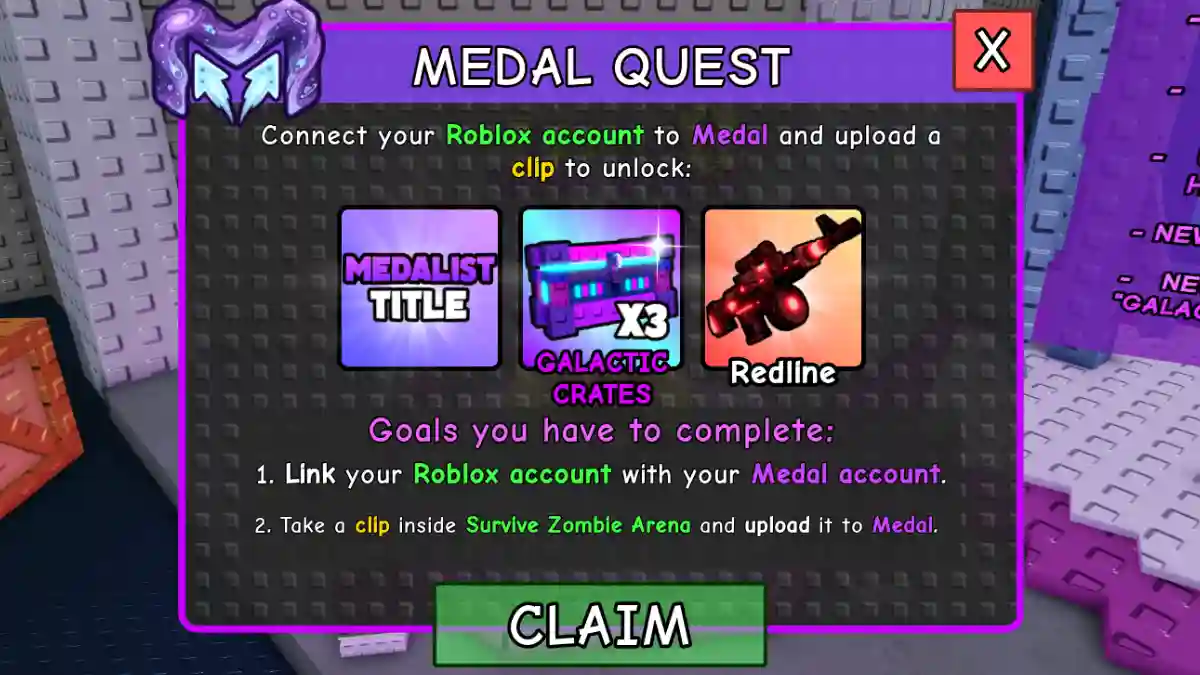
In this post, you will learn how to claim the Medal Quest in Survive Zombie Arena, including a complete step-by-step guide.
How to Claim Medal Quest in Survive Zombie Arena (Roblox)
To claim the Medal Quest in Survive Zombie Arena, players need to use the Medal PC app, connect it to their Roblox account, record a gameplay clip in-game, and upload the clip so the quest can register successfully.
Step 1: Download Medal
- Go to medal.tv or search “Medal”.
- Download and install the Medal desktop app.
Step 2: Create/Open an Account
- Launch the Medal app.
- Create an account or sign in.
Step 3: Connect Your Roblox Account
- Open the Medal app.
- Click Settings (bottom left).
- Go to Connected Accounts.
- Select Roblox.
- Follow the steps to link your account.
Step 4: Record a Clip
- Keep Medal running in the background.
- Open Survive Zombie Arena on Roblox.
- Press F8 to record.
- It automatically saves the last 30 seconds of gameplay.
Step 5: Post the Clip
- Open the Medal app.
- Find your new clip in the library.
- Click Post.
- Wait for the upload to finish.
Step 6: Claim Your Reward in Game
- Return to Survive Zombie Arena.
- Leave and rejoin the server (if needed).
- Open the Medal Quest menu.
- Claim your rewards and equip the new title.
