

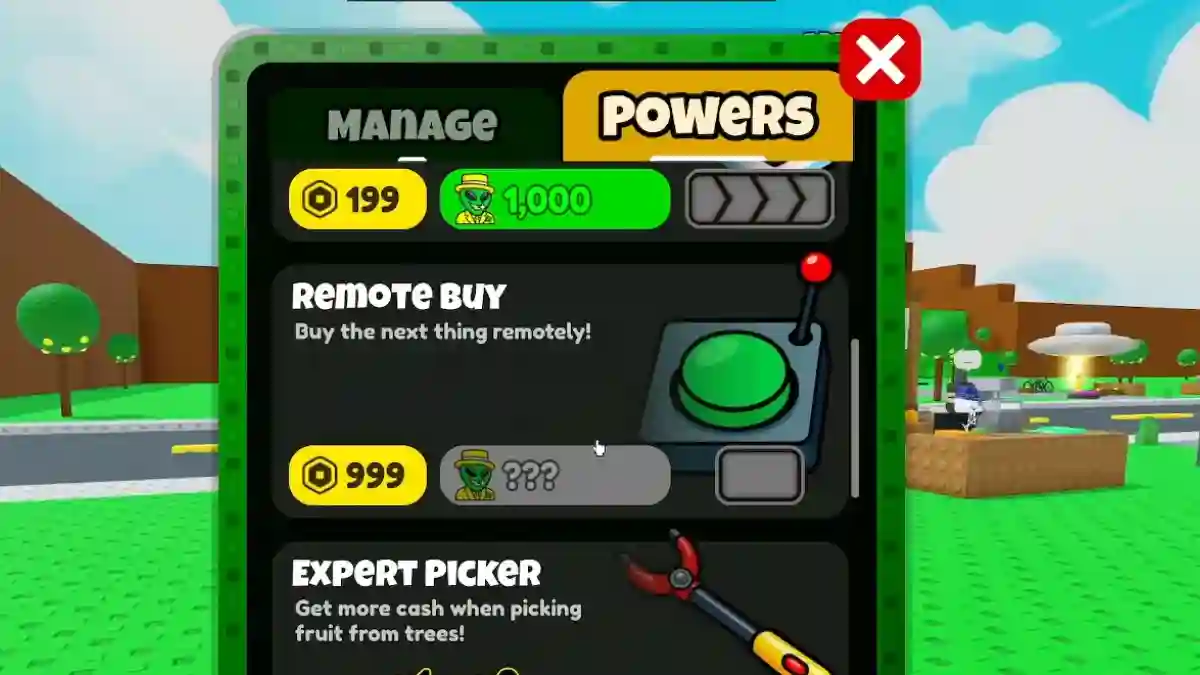
In Sell Lemons, Remote Buy is a late-game permanent upgrade that makes progression much faster and more convenient.
Instead of running around your tycoon to purchase every new button manually, Remote Buy automatically purchases the next upgrade as soon as you can afford it.
This feature becomes especially useful during late-game grinding, where thousands of upgrades must be purchased repeatedly after rebirths, evolutions, and other progression resets.
Many players consider it one of the most valuable quality-of-life upgrades because it significantly reduces downtime and allows you to focus on growing your empire more efficiently.
Below, you can find the complete step-by-step guide on how to unlock and use Remote Buy in the game.
How to Get Remote Buy in Sell Lemons (Roblox)
In Sell Lemons, Remote Buy is a late-game permanent upgrade that makes progression much faster and more convenient.
Step 1: Reach the Investor Milestone
- Accumulate 1 Tredecillion Investors (“tricktillion”).
- Usually reached around your 6th Evolution.
- Keep investing and rebirthing to boost your earnings.
Step 2: Unlock via the Powers Menu
- Open the Powers menu.
- Unlock Remote Buy (requires the required investor amount).
- Or buy it early with the Rule Books.
Step 3: Use the Yellow Button
- A yellow button appears at the bottom of your screen.
- Click it to instantly buy the next upgrade you can afford.
- No more walking around the map.
