

Grow a Garden 2 is a farming simulation game where players can create and expand their own farms from the ground up.
Starting with a small plot of land, you’ll plant crops, earn money, unlock better seeds, collect pets, join guilds, and gradually build one of the most successful gardens in the game.
As you progress, you’ll gain access to more valuable crops and advanced farming features that help increase your earnings.

AI receipt scanner & cash envelopes. 100% private.
One of the biggest additions from a recent update is the ability to steal valuable crops from other players’ farms.
For those who prefer a safer experience, private servers are also available, allowing you to focus on farming without worrying about theft.
In this guide, you’ll learn how to join a Guild in Grow a Garden 2 (Roblox), including a complete step-by-step walkthrough of the process.
How to Join a Guild in Grow a Garden 2 (Roblox)
To join a Guild in Grow a Garden 2 (Roblox), there are both free and paid methods available.
Method 1: Join an Existing Guild (Free)
To join a guild for free, you must receive an invitation from a Guild Owner or Elder.
Guild invites don’t appear as notifications, so check your in-game mail to see if you’ve been invited.
- Walk to the Mailbox outside your garden plot.
- Interact with it.
- Open the Mail tab.
- Find the guild invite and click Accept / Join.
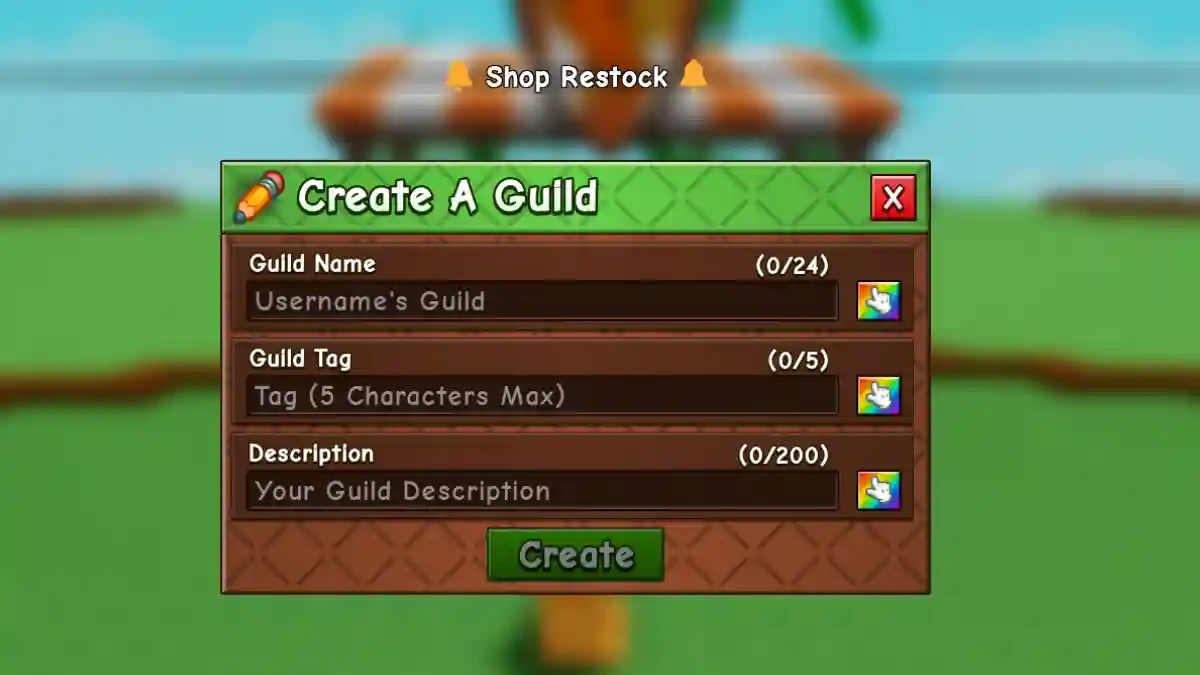
Method 2: Create Your Own Guild (Costs 99 Robux)
Create your own guild to become the leader and invite your friends.
- Go to the central hub.
- Talk to Gilbert at the Guild counter.
- Select Create Guild.
- Enter Guild Name and 5-character Tag.
- Add Description & choose Colors.
- Pay 99 Robux to create.
