

Knockout is a popular multiplayer arena game on Roblox developed by braxworks.
In this game, you play as a penguin and fight on an icy platform, trying to knock other players off the map.
The game features multiple modes such as Free For All (FFA), Teams Mode, and Juggernaut Mode, each offering unique gameplay elements.
Recently, a new event was introduced, adding several new skins and in-game items that players can unlock.
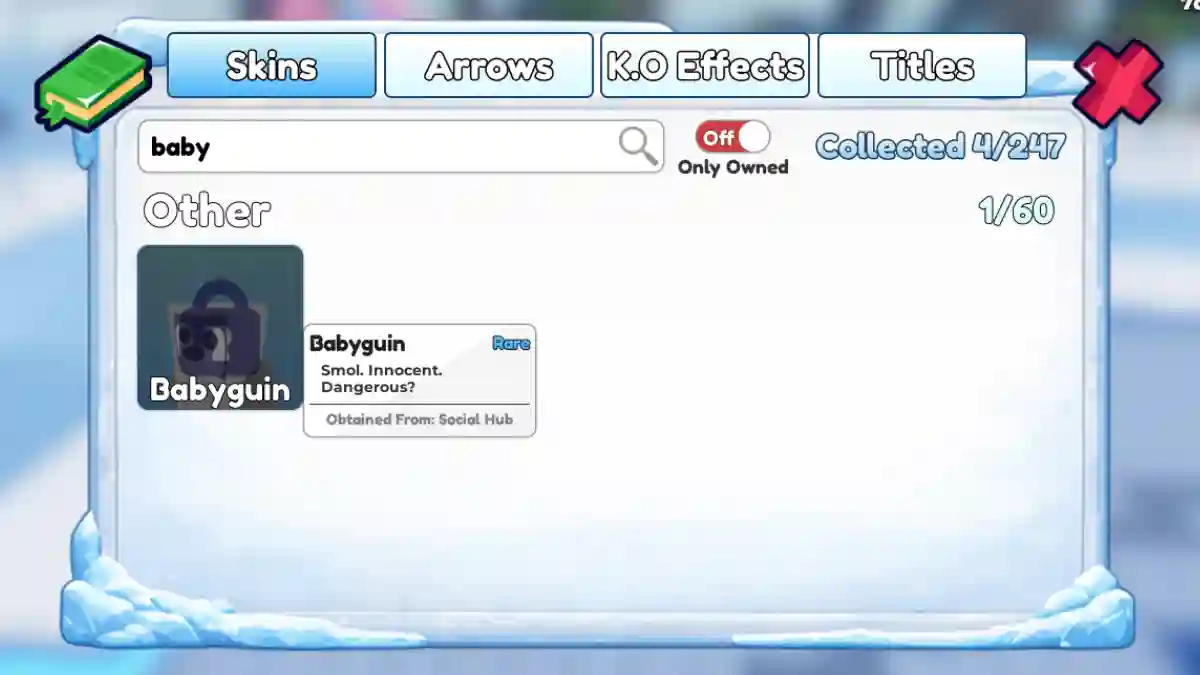
In this post, you will learn how to get the Babyguin Penguin Skin in Knockout, including a complete step-by-step guide.
Knockout Babyguin Penguin Skin (Roblox)
Below, you can follow the step-by-step guide to learn how to obtain this skin.
- Load main menu and go to Social Hub / Social Island.
- Find Babyguin portal (near stage or event area, penguin icon).
- Enter the Babyguin event zone.
- Touch the collectible/statue/stand in the area.
- Return to Skins menu.
- Babyguin is now unlocked.
If the event is not released or currently active, you will need to wait until it becomes available.
