

Pokémon Champions is a battle-focused spin-off game in the Pokémon series, available on the Nintendo Switch.
In this game, you play as a Pokémon Trainer competing against players worldwide to become the top Champion.
Unlike traditional Pokémon games, this title focuses almost entirely on battling rather than story or exploration.
Players build their teams by recruiting Pokémon and use the battle system to create strategies that help defeat opponents.
In this article, you will learn how to use Quick Coupons in Pokémon Champions, including a complete step-by-step guide.
How to Use Quick Coupons Pokémon Champions
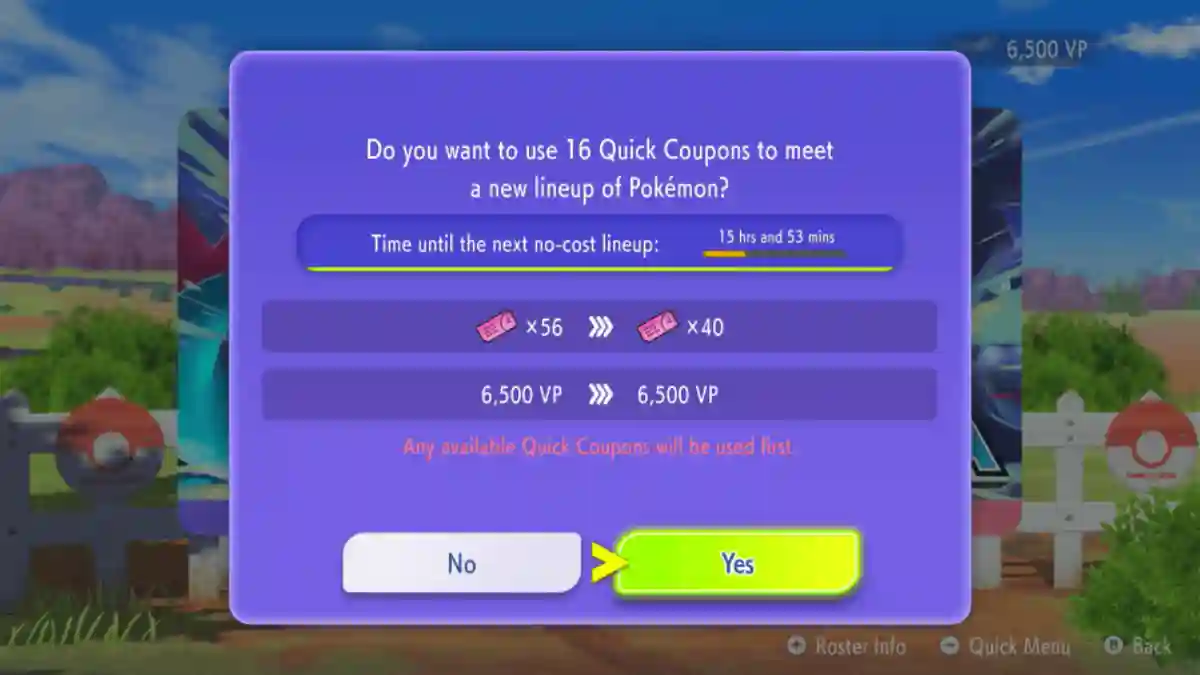
Quick Coupons are used to skip the waiting time between recruitments at the Pokémon Ranch, allowing you to obtain new Pokémon faster without spending Victory Points (VP).
Below, you can follow the complete step-by-step guide to use Quick Coupons effectively.
Step 1: Get Quick Coupons
- Get Quick Coupons via early-download bonus.
- Check Mailbox.
- Earn more through in-game missions, events, or mystery gifts.
Step 2: Where to use them (Kits Ranch / “Ranch”)
- Go to Kits Ranch (recruitment screen).
- Select a Pokémon from your lineup to pull new ones.
- Quick Coupons reset the cooldown timer for the next 10-slot pool.
Step 3: How to actually use one
- Go to the Ranch / Recruitment screen.
- Select a Pokémon you want to replace.
- Start the 10-Pokemon pull.
- When the timer appears, choose “Use Quick Coupon”.
- Instantly skip wait and pull the next 10 Pokémon.
Step 4: How the rest of the process works
- After 10-pull, rent Pokémon to test in battles.
- To keep one permanently, use a Teammate Ticket.
- Get Teammate Tickets with VP or from missions.
