

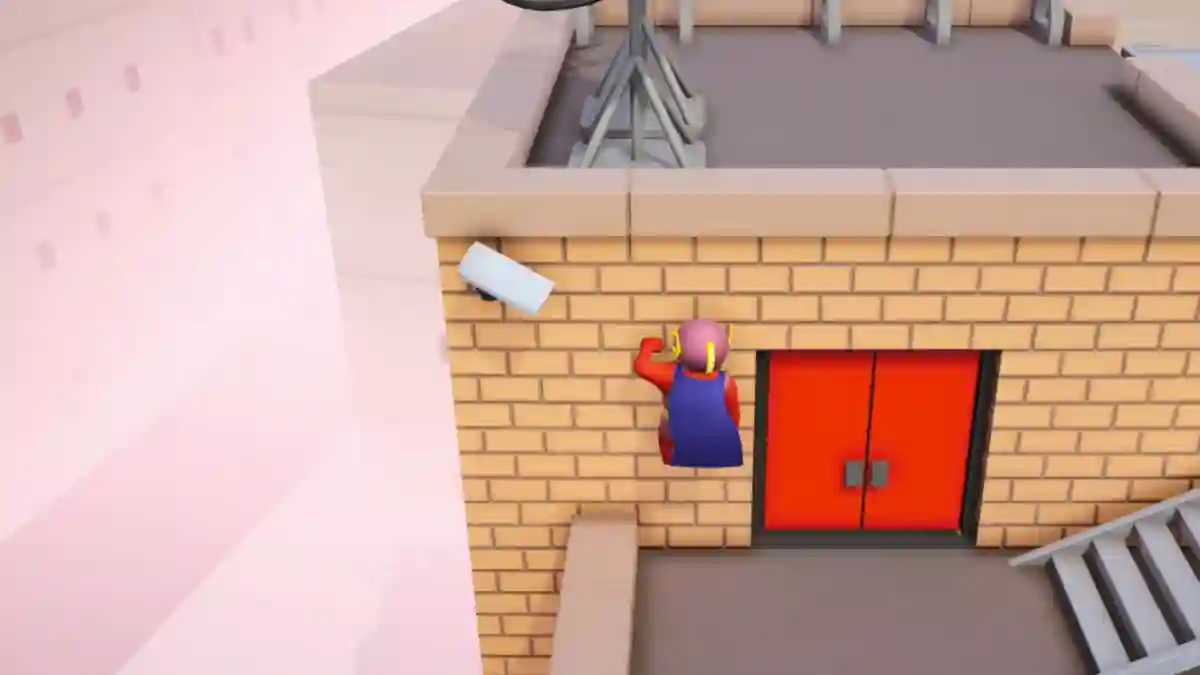
Gang Beasts is a popular multiplayer party game that was originally released on Steam in 2017 and later launched on Xbox in 2019.
The game is set in the fictional city of Beef City, a dangerous location filled with factories, construction sites, docks, transportation systems, and other hazardous arenas.
Players take control of colorful gelatinous characters known as Beasts, with the main objective being to throw opponents out of the arena before they eliminate you.

AI receipt scanner & cash envelopes. 100% private.
The game’s physics-based combat creates chaotic and humorous battles that make every match unpredictable.
In addition to standard matches, the game features several modes, including Melee, Gang, and Waves, each offering a different gameplay experience and unique challenges.
In this article, you will learn how to climb in Gang Beasts using an Xbox controller, along with a complete guide to the game’s most important control keys and actions.
How to Climb in Gang Beasts Xbox Controller
To climb walls in Gang Beasts using an Xbox controller, you first need to grab the wall or ledge with both hands. Press LB to grab with your left hand and RB to grab with your right hand.
- Approach the wall.
- Grab it with both hands (LB + RB).
- Hold A to hoist yourself up.
- Alternate hands (release one, reach up, grab again) while holding A to climb higher.
Gang Beasts Xbox Controller
Below is the complete list of Xbox controls for Gang Beasts, which will help you move, fight, climb, grab opponents, and survive longer in matches.
Basic Movement & Actions
- Move: Left Joystick
- Jump: A Button
- Run: Hold A Button + Push Left Joystick Forward
- Sit: Hold A Button
- Crawl: Hold B Button + Move Left Joystick
- Dive: Run + Jump (A) + Hold B Button
- Fall Forward: Hold B Button
- Fall Backward: Hold X Button
Combat & Grabbing
- Punch / Grab: LB (Left Arm) / RB (Right Arm)
- Headbutt: B Button
- Kick: X Button
- Dropkick: Jump (A) + Hold X Button
- Taunt / Lift: Y Button
Advanced Mechanics
- Pick Up: Hold LB + RB, then hold Y to lift.
- Throw: Pick up the item, spin for momentum, and release.
- Climb: Grab the wall with LB + RB.
- Hold A to hoist up.
- Alternate hands to climb higher.
