

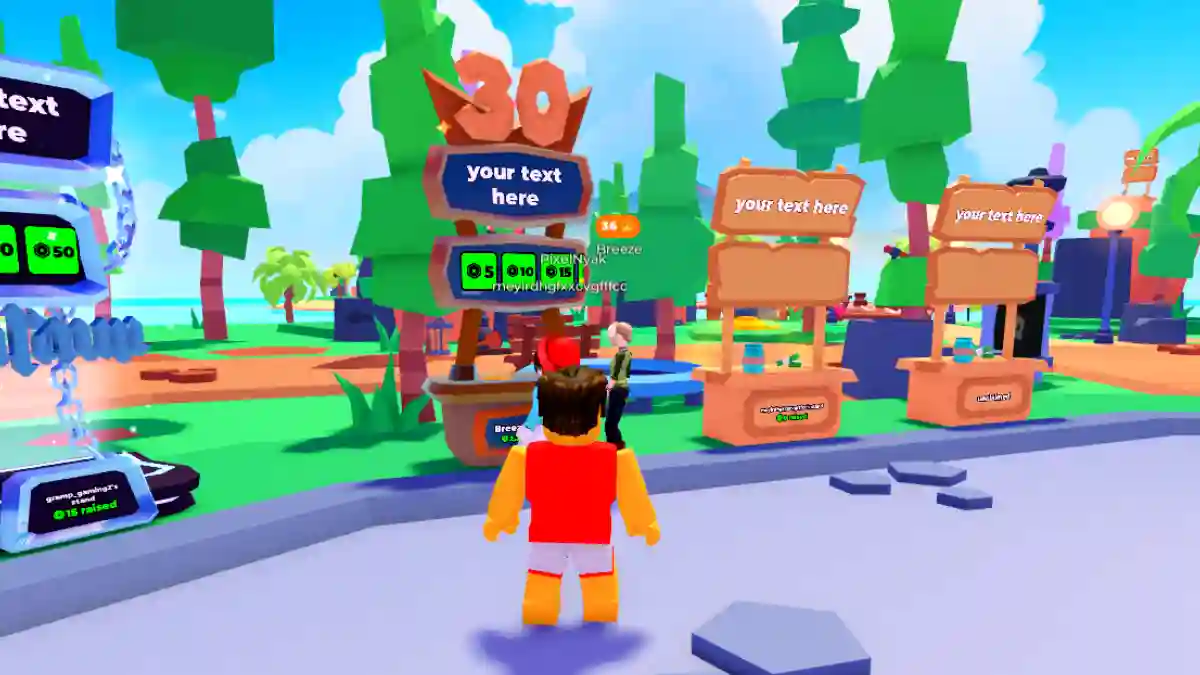
PLS DONATE is a social genre game on Roblox created by Quataun.
In this game, you play as a user trying to earn Robux, get noticed, build a reputation, and climb the donation leaderboards.
The game takes place in a large social plaza filled with booths, where each player owns a stand and asks for donations—similar to a virtual marketplace.

AI receipt scanner & cash envelopes. 100% private.
You can also interact with other players by chatting, convincing them to donate, and creating creative or funny booth messages to attract attention.
In this article, you will learn how to make a game pass in PLS DONATE (to earn Robux), including a complete step-by-step guide.
How to Make a Gamepass in Pls Donate (Earn Robux)
Before creating a Gamepass in PLS DONATE, you need to meet a few requirements. These are listed below.
Requirement:
- Keep your account in good standing.
- Verify identity (ID or parent permission).
- Do an age check with the camera.
- Enable 2-step verification.
- Maintain an active Plus subscription.
- You need at least 1 Roblox experience/place.
- Can be a default or empty place.
- Must be set to Public.
Step 1: Make a Gamepass on Roblox
- Go to create.roblox.com and log in.
- Click Creations → My Experiences.
- Select any experience (default works).
- In the side menu, go to Monetization → Passes.
Create a pass
- Click Create a Pass.
- Upload a custom image (optional, but looks nice on your stand).
- Give it a name (this will show on your Pls Donate stand, like “2 Robux Donation”).
- Optional: add a short description.
- Click Create Pass.
Set it for sale
- Click on your newly created pass, then go to Sales on the left.
- Toggle “Item for sale” ON.
- Set a price (for example, 100, 150, 500 Robux).
- Enable regional pricing, disable.
- Click Save changes.
Step 2: Use the Gamepass in Pls Donate
- Open Pls Donate on Roblox.
- Claim an unclaimed stand (white/unlit booth).
- PC: Hold E | Mobile: Tap and hold the Claim button.
- Your gamepasses now appear as donation buttons.
- Claim more stands for extra buttons if needed.
