

Paralives is a life simulation game developed by Paralives Studio and is now available on Steam.
The game mainly focuses on freedom, creativity, realistic building tools, and deep character customization.
In the game, players can create their own stories through their characters and explore neighborhoods, parks, cafés, shops, homes, and many other public areas.

AI receipt scanner & cash envelopes. 100% private.
The characters in the game are called Parafolk, and players can customize them with different styles while also building their own homes, living spaces, and environments.
In this article, you will learn how to try for a baby in Paralives, including a complete step-by-step guide.
How to Try for a Baby in Paralives (Complete Guide)
In Paralives, you first need the correct Paramaker settings before trying for a baby.
One Para must have the ability to become pregnant, while another must have the ability to impregnate others.
You can follow the steps mentioned below to set everything up properly.
Step 1: Establish the Relationship
Before you can try for a baby in Paralives, your Parafolk characters must first have an established romantic relationship.
- Build romantic interest with a Para.
- Officially become “Lovers”.
- Now you can have a baby.
Step 2: Set the Mood and Discuss Kids
Once they become lovers in Paralives, the next step is to start a conversation about having children.
- Make your Paras romantic using flirty interactions.
- During a conversation, open the exclamation menu.
- Select “Try to have a baby.”
- Keep talking until you can “Ask if they want children in the future.”
- Choose the option and agree.
- Success = They can now have a baby.
Step 3: Try for a Baby
Once the couple agrees that they want children, you can initiate the “Try for a Baby” action in Paralives.
- Select both Paras.
- Click on a bed.
- Choose “Try for a baby”.
- Do not interrupt the animation.
Step 4: The Pregnancy
- Wait 24 in-game hours.
- A prompt will appear.
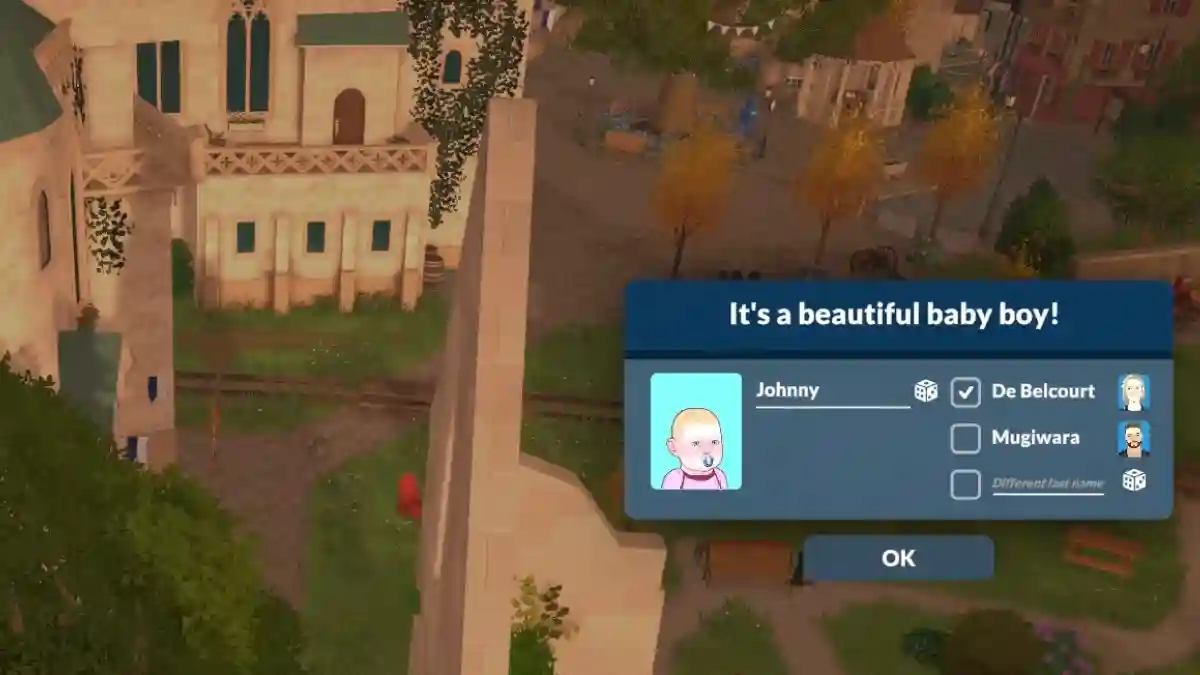
- Name the baby.
- Baby joins your family.
